
Keeping kids safe online is a daily concern for parents. With so many apps claiming to be “child-friendly,” it’s hard to know which ones actually are. This guide cuts through the noise and highlights the apps that strike the right balance between fun, learning, and digital safety, all tailored for families in the UK.
Whether your child is five or fifteen, this list of safe apps for kids will help you make smarter choices about what they download and use.
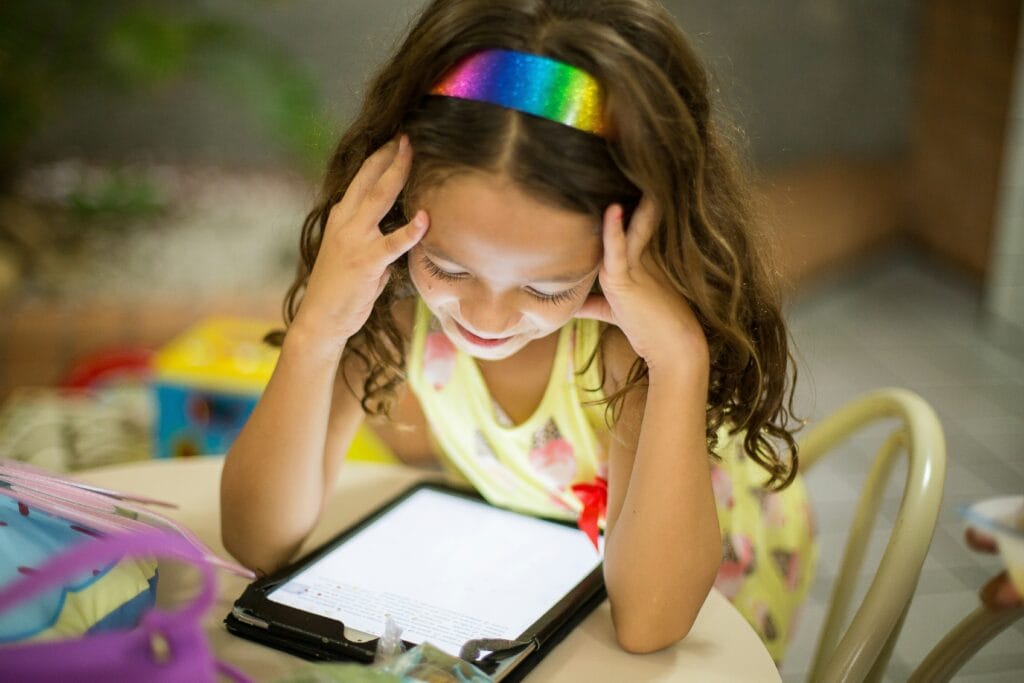
Photo by Patricia Prudente on Unsplash
✅ What Makes an App “Safe” for Kids?
Before we dive into the list, here’s what we looked for in a kid-safe app:
- Age-appropriate content
- No or minimal ads
- No in-app purchases without clear parental controls
- Strong privacy policies (GDPR-compliant)
- Educational or creative value
- Parental control features
1. YouTube Kids
Best for: Safe video watching
Ages: 3–12
Platform: iOS, Android
YouTube Kids filters out inappropriate content and gives parents control over what their children watch. You can set screen time limits, block videos or channels, and tailor the app to specific age ranges.
UK tip: Set the app to “Preschool” or “Younger” mode for stricter filtering.
2. BBC CBeebies Playtime Island
Best for: Educational games with British flair
Ages: 2–6
Platform: iOS, Android
Straight from the BBC, this app features games starring CBeebies characters like the Octonauts and Hey Duggee. No ads, no purchases, just solid educational content that reflects UK culture.
Why it’s great: No internet connection needed after download.
3. Toca Boca Life World
Best for: Creative play and storytelling
Ages: 4–12
Platform: iOS, Android
Kids can create their own characters, build worlds, and act out stories. The base app is free, but some content packs cost money, so keep in-app purchases locked behind parental approval.
Safety note: Turn off Wi-Fi during play to avoid accidental purchases.
4. Endless Alphabet
Best for: Early literacy skills
Ages: 3–7
Platform: iOS, Android
This charming app teaches kids vocabulary using animated monsters. It’s fun, intuitive, and totally ad-free. Great for early readers in Reception or Year 1.
Bonus: No internet required once installed.
5. Khan Academy Kids
Best for: Broad early learning
Ages: 2–8
Platform: iOS, Android
This US import is still a solid choice for UK families. It covers maths, reading, and emotional learning with engaging, curriculum-aligned content, all 100% free and ad-free.
UK relevance: Works well as a supplement to KS1 and early KS2 material.
6. National Geographic Kids
Best for: Exploring the natural world
Ages: 6–12
Platform: Web (mobile browser), with app options via magazines
The UK edition of Nat Geo Kids offers videos, facts, and quizzes that keep curious minds engaged. Not strictly an app, but it’s a great digital resource.
Parent tip: Pair it with the print magazine for offline engagement.
7. Google Family Link
Best for: Managing your child’s device
Ages: Parents of kids under 13
Platform: Android (limited iOS support)
While not a kids’ app per se, Family Link lets parents manage screen time, approve or block app downloads, and track location. It’s a must-have for Android households.
Note for UK parents: Use it to comply with the UK’s Children’s Code (Age-Appropriate Design Code).
8. Messenger Kids (by Meta)
Best for: Safe messaging with friends and family
Ages: 6–12
Platform: iOS, Android
Designed with parental oversight in mind, this lets kids chat with approved contacts only. Parents can see who their child is talking to and when.
UK privacy note: Fully GDPR-compliant, but always review Meta’s terms regularly.
9. ScratchJr
Best for: Intro to coding
Ages: 5–7
Platform: iOS, Android
Kids create animations using simple block coding. It’s creative, educational, and a stepping stone to Scratch (for older kids).
UK curriculum fit: Great prep for primary computing lessons.
10. Internetmatters.org
Best for: Keeping parents informed
Ages: Parents
Platform: Web
This isn’t for kids, it’s for you. Internetmatters.org provides expert advice and guidance on the latest apps and platforms children and young people use. It’s constantly updated with UK-specific guidance.
Must-have for UK families.
⚠️ Apps to Be Cautious With
Not all apps marketed to kids are as safe as they appear. Be especially careful with:
- Roblox (can be safe with parental settings, but has user-generated content)
- TikTok (officially 13+, but easily bypassed)
- Snapchat (notoriously hard to monitor)
Always check age ratings, privacy settings, and parental controls before letting your child use any app.
In the UK, where data protection laws like GDPR and the Children’s Code set a high bar, it’s still down to parents to stay informed. Safe doesn’t mean perfect — it means monitored, guided, and age-appropriate.
Download smart. Set boundaries. Stay involved.
And remember: the safest app is the one you talk about with your kids.
